Task Monitoring
QuartzIQ allows you to access a Integration Task Monitoring section that displays all recent executions of all integration tasks. This section is very important if you want to monitor all dataloading jobs and see any errors in the loading of the data.
In order to access this section in QuartzIQ, you must have one of the required application roles:
- QX-Admin
- IQ-Admin
View all Integration tasks Executions
View all Integration task Executions
Navigate through the side menu in QuartzIQ and select Setting > Task Monitoring.
You should then be redirected to a page with all recent job executions.
Task executions list
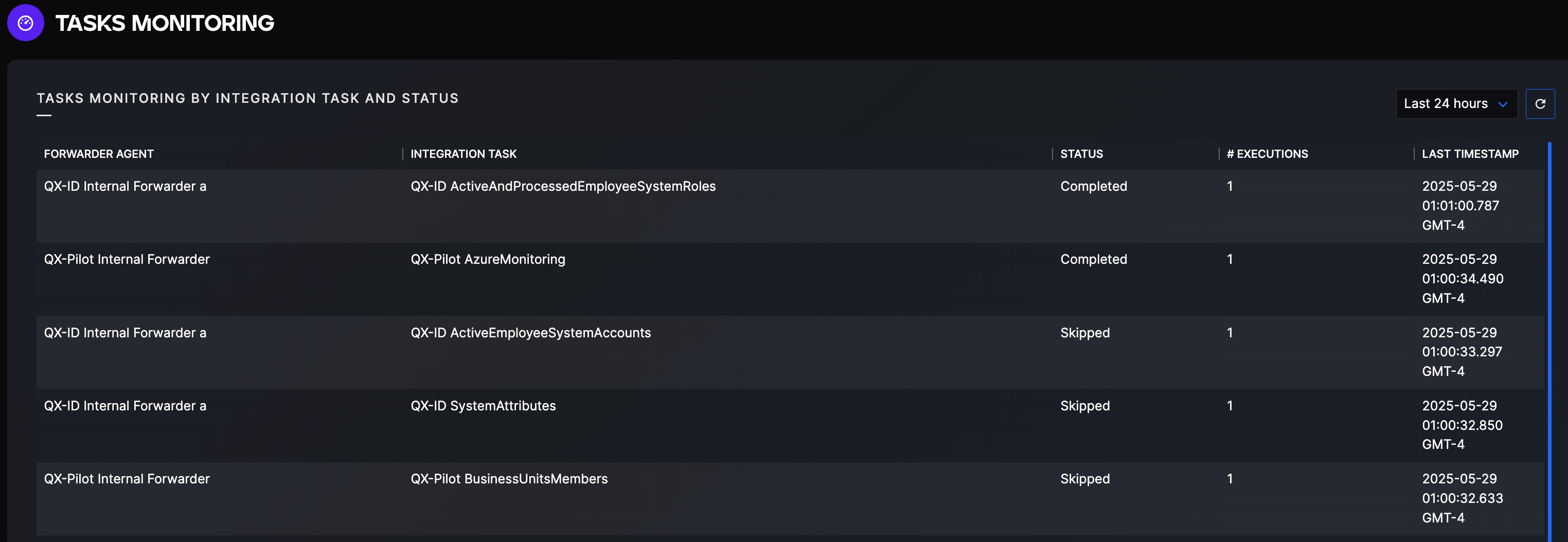
You can then click on a specific job execution history to view its' detailed history.
Task execution details
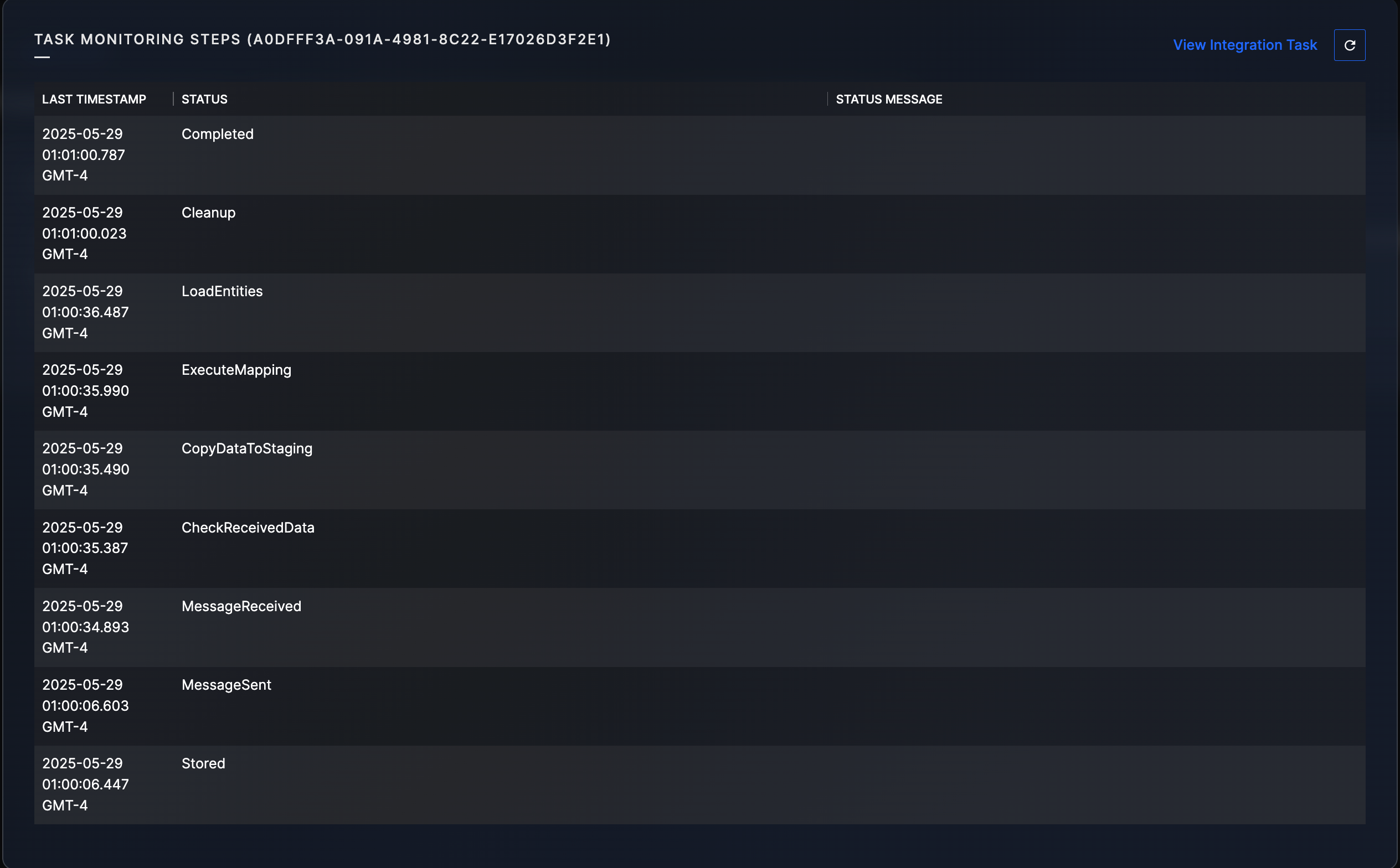
You can also view the specific Integratrion task Configuration by clicking the View Integration task button.