Getting started
What is QuartzIQ?
QuartzIQ is a comprehensive platform for Internal Controls, Risk Management, and Compliance. It enables organizations to structure their control environment by modeling departments into Perimeters, documenting and executing controls — both automated (Alert Rules) and Manual — and processing the resulting Alerts and Tasks through dedicated workflows. Beyond internal controls, QuartzIQ supports Enterprise Risk Management with risk taxonomies, self-assessments (RCSA), and consolidation, as well as Third Party Risk Management and Project Risk Management. Organizations can deploy industry or custom Control Programs (NIST, COBIT, COSO, etc.), evaluate their controls through Controls Testing projects, map risks to controls via the Risks & Controls Matrix, and manage Operational Losses with action plans and certification campaigns. QuartzIQ also includes an Audit Management module to plan and conduct audits, document Findings, Recommendations, Action Plans, and Deliverables, and track their progress through a dedicated Progress Tracking workflow. Additionally, a Survey module allows you to create and send questionnaires to both internal employees and external users for assessments, certifications, or any data collection needs. A built-in Data Workbench allows technical users to build and test KQL queries before deploying them as automated controls, with the assistance of Q.AI, an AI engine that helps create and optimize KQL code.
How to get started
1. Model your organization with Perimeters
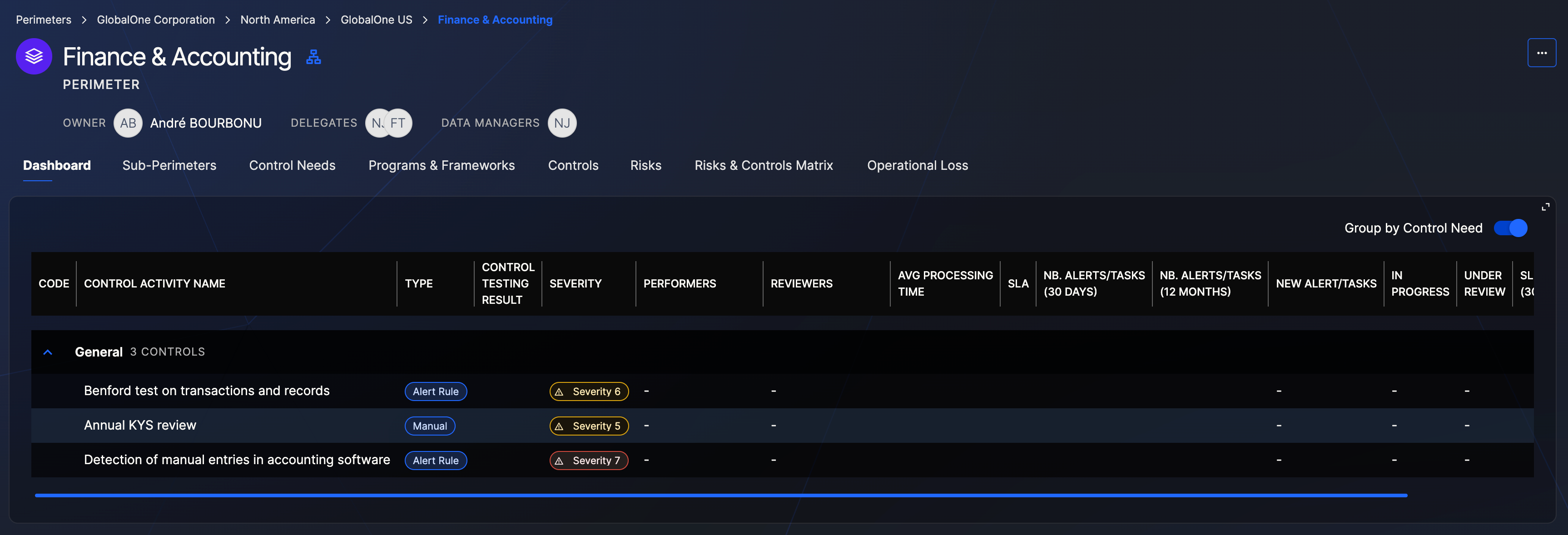
Start by creating Perimeters that reflect your organizational structure — departments, sub-departments, teams, or any unit that needs its own control scope. Assign members (Owners, Delegates, Data Managers, Performers) to each Perimeter to define who can manage controls and who processes alerts and tasks.
Perimeter dashboard with Controls grouped by Control Need
2. Document your Controls
Within each Perimeter, create Control Activities to document your existing controls or build new ones. QuartzIQ supports several control types: Alert Rules (automated data-driven checks), Manual Controls (recurring tasks), Automated Controls, Semi-Automated Controls, Committees, Checklists, and Key Risk Indicators. Optionally, organize your controls under Control Needs for better structure and gap analysis.
3. Integrate your Data
Before your automated controls can run, you need to feed data into QuartzIQ. Use the Settings section to configure Integration Agents — built-in connectors that import data from files (CSV, XML), SQL databases, Azure AD, Workday, Splunk, and more. Define Source Connections, Target Connections, and Job Configurations to automate data ingestion into QuartzIQ. Once your data is available, Data Managers can explore it in the Data Workbench and build KQL queries to power Alert Rules.
4. Process Alerts and Tasks
Once your controls are active, Alerts and Tasks are generated automatically based on their configuration. Your operational teams can then process, comment, attach evidence, and close them following a configurable workflow with optional review steps and SLAs.
5. Manage Risks
If your organization uses Enterprise Risk Management, define your risk taxonomy, map risks to Perimeters, and run Risk Self-Assessments (RCSA) campaigns. Use the Risks & Controls Matrix to visualize which controls mitigate which risks and identify gaps in coverage.
6. Deploy Control Programs
Apply standard or custom Control Programs to your Perimeters to track compliance with regulatory frameworks or internal policies. Link controls to program requirements and monitor deployment progress.
7. Conduct Audits
Use the Audit Management module to plan and execute audit engagements. Document Findings and Recommendations, define Action Plans with responsible owners and deadlines, and attach Deliverables as evidence. Track the resolution of each item through the Progress Tracking workflow to ensure timely follow-up and closure.
8. Test and improve
Create Controls Testing projects to assess your controls' design effectiveness, implementation, and operational effectiveness. Use findings to strengthen your control environment over time.
9. Collect feedback with Surveys
Use the Survey module to create customizable questionnaires and send them to internal employees or external users. Surveys can be used for a variety of purposes such as compliance certifications, third-party assessments, or any structured data collection need across your organization.
Navigation features
QuartzIQ gives you access to some basic navigation features. You can navigate between different objects by using the filters on the left or the spotlight search at the top.
Navigation in QuartzIQ
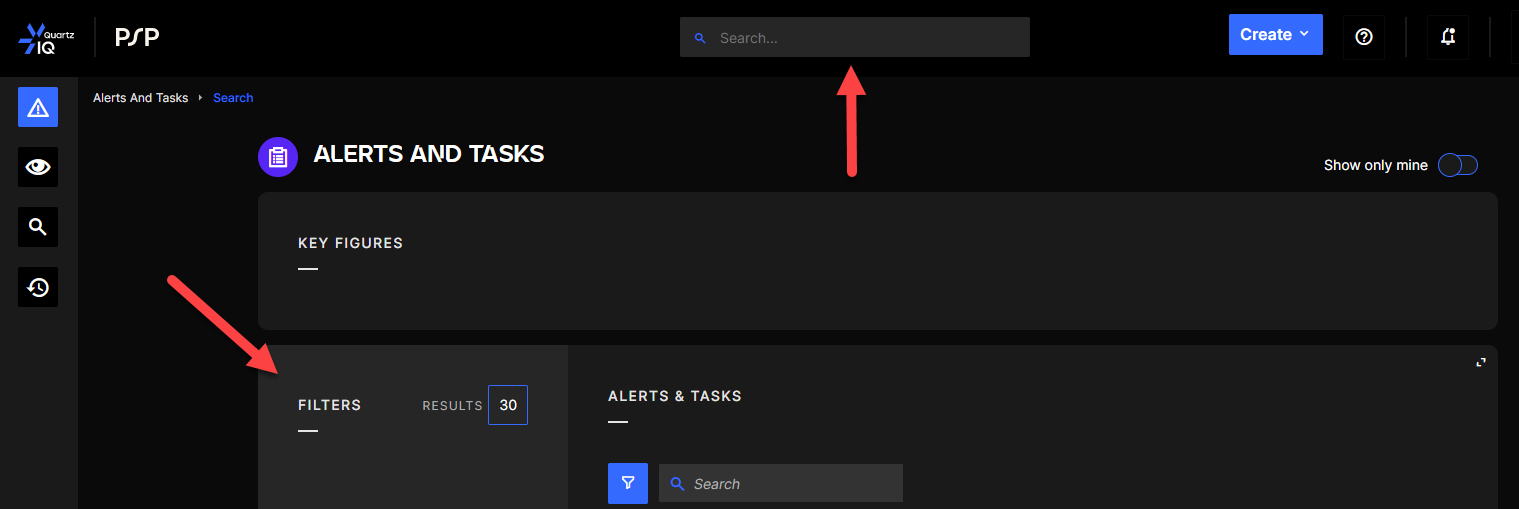
With this feature, you can also save your search (filters and full text search) by clicking the save button in the search. Your saved searches will then appear in the filters panel.

You can also use the breadcrumb trail to easily navigate between the Control Activity and Perimeter. Breadcrumb trail in QuartzIQ
