Overview
Introduction
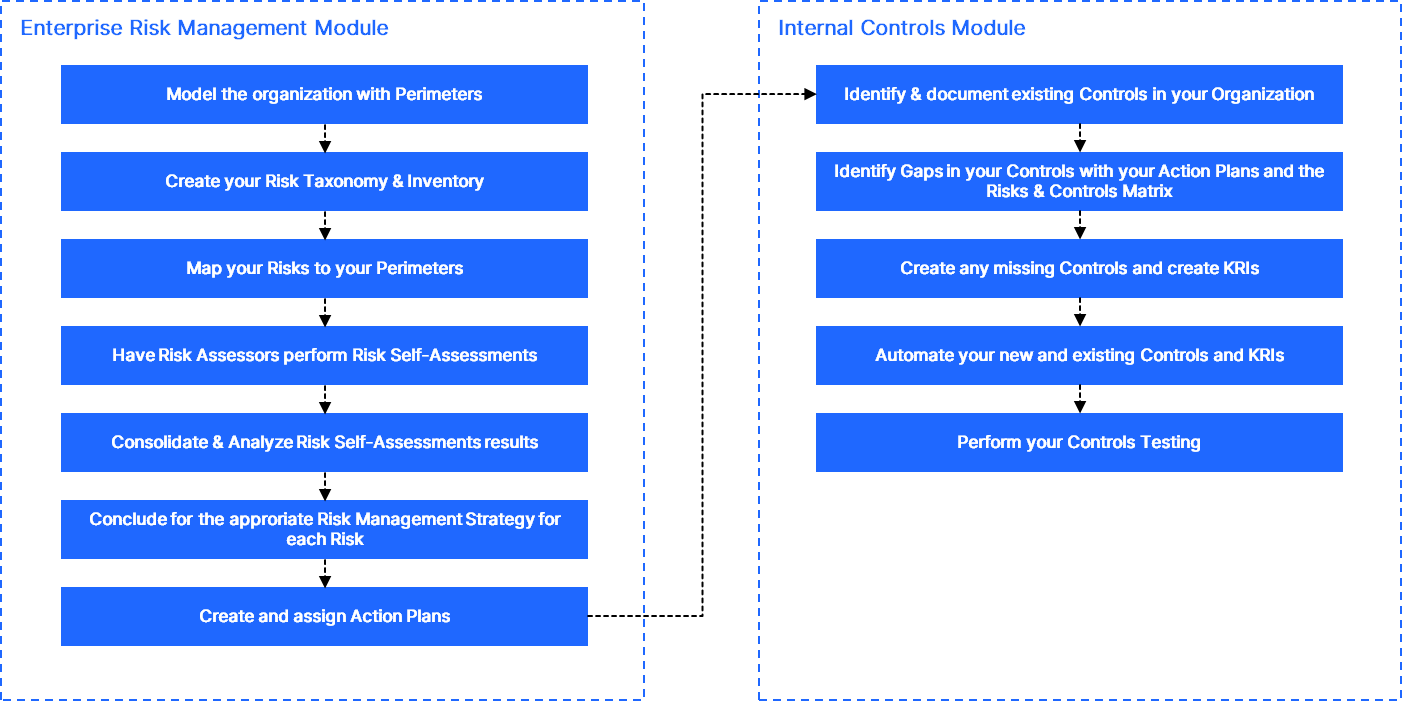
QuartzIQ offers a comprehensive approach to managing your organization's risks, enabling you to not only identify and assess risks but also implement effective controls and action plans to strengthen your overall risk coverage.
This article is designed to guide you through the process—starting with understanding what needs to be done at a strategic level and then detailing the practical steps to take within the platform to achieve your desired outcomes.
In order to get you started using QuartzIQ for Enterprise Risk Management, we recommend following the steps detailed below.
1. Model your organization with Perimeters
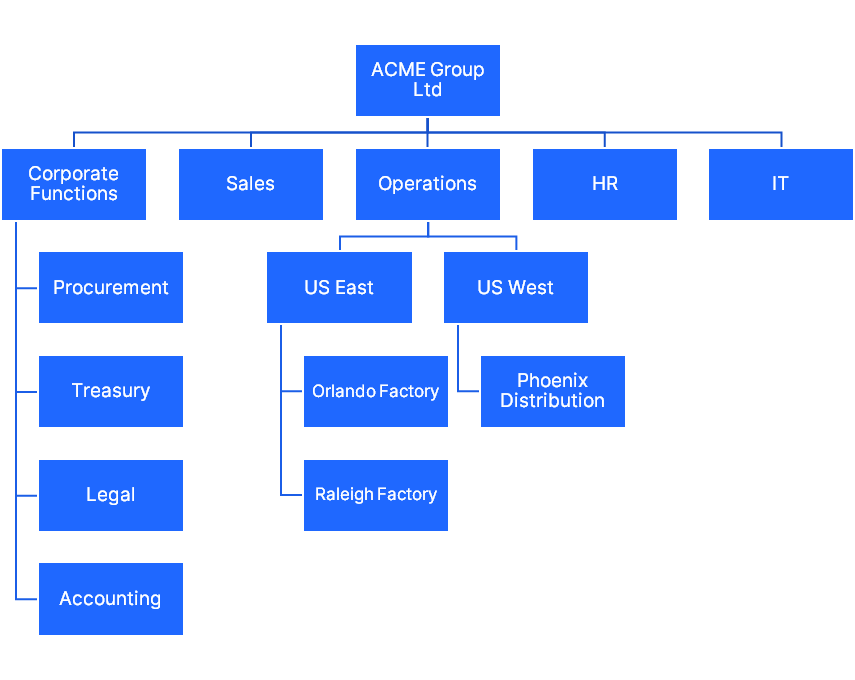
The first step when starting with QuartzIQ is to use perimeters as a flexible way to model your organization to account for business units, legal entities, geographies. This structure can later be amended as the organization evolves.
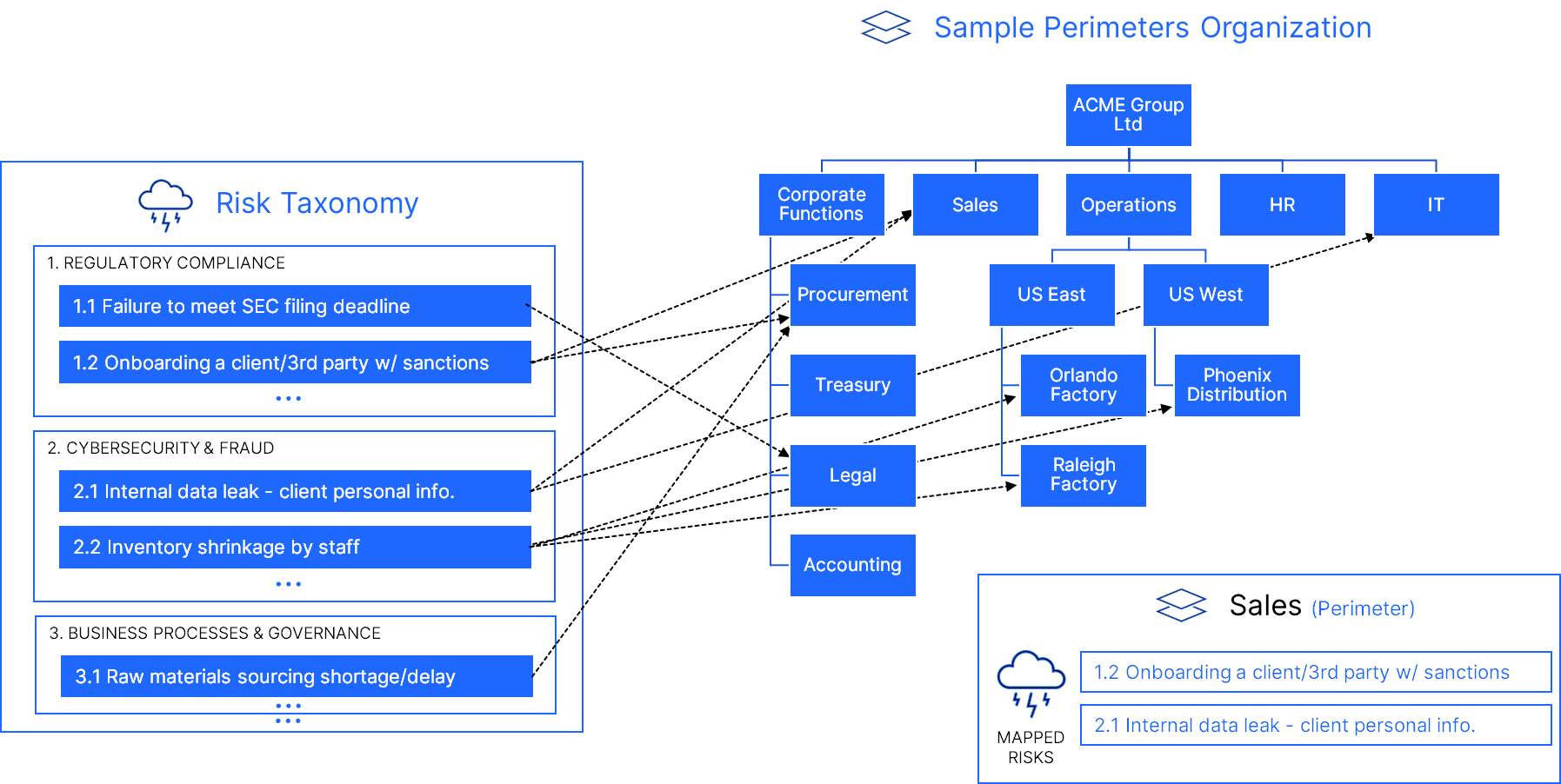
You can find an example of an organization below, each box representing a Perimeter.
Each Perimeter has a set of members and objects linked to it, detailed below.
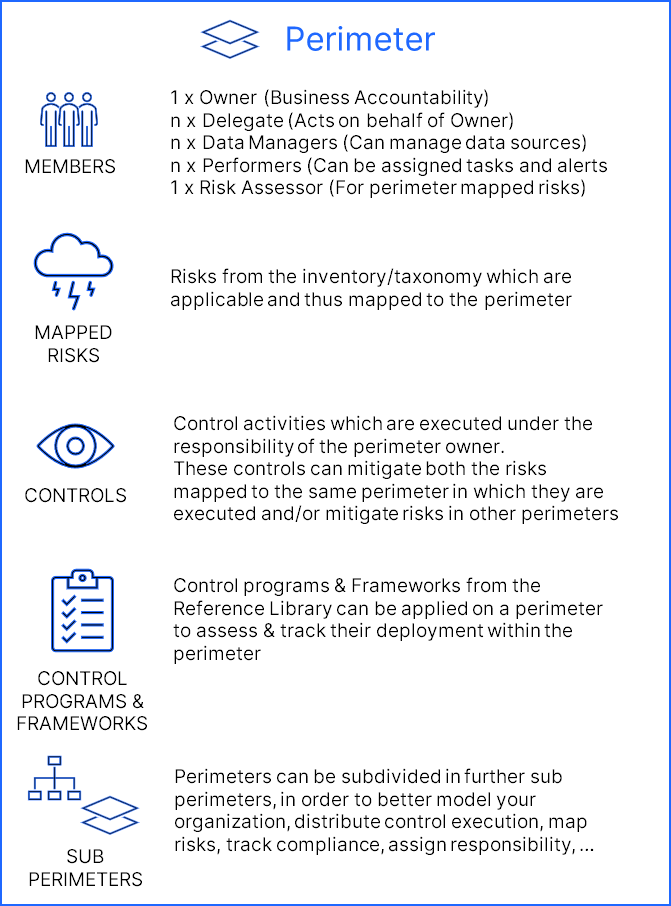
For more information on how to model and define your organization, please view the Perimeters article.
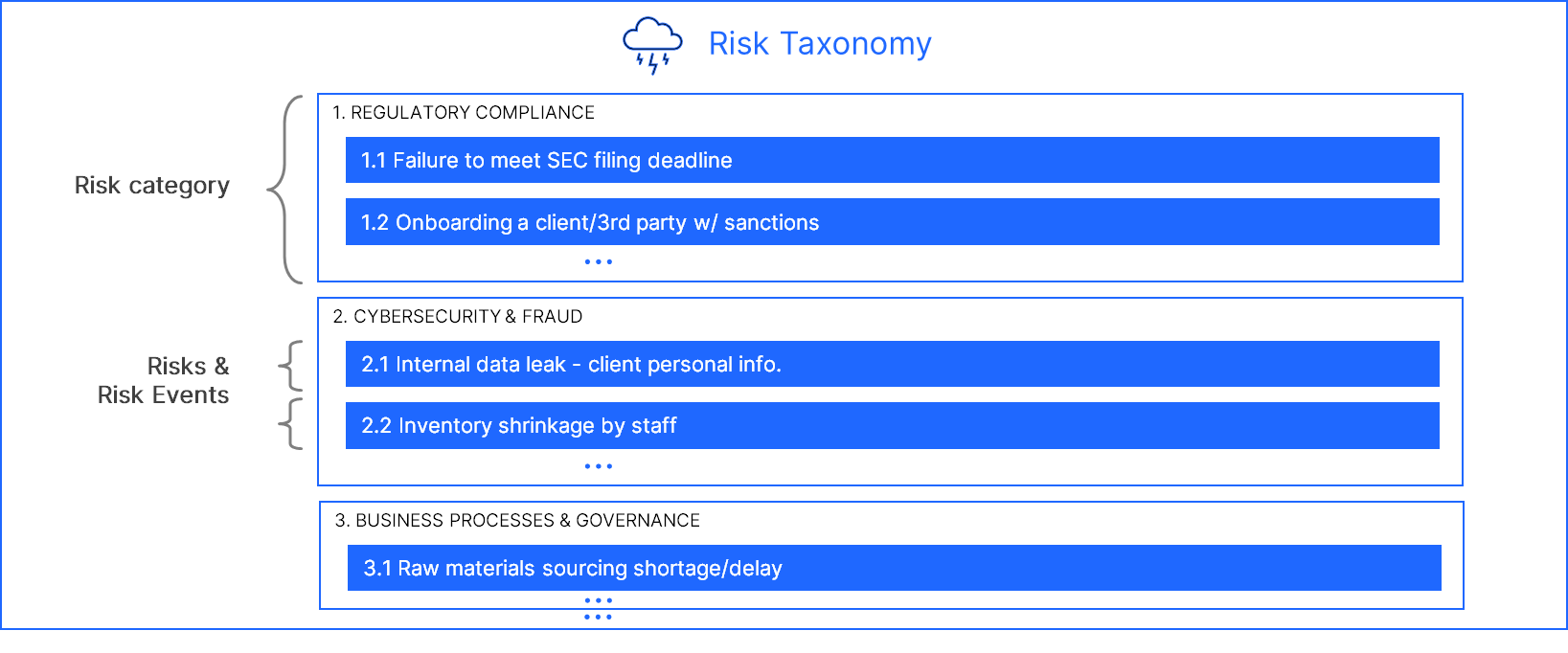
2. Create your Risk Taxonomy
The next recommended step is to create your Risks Taxonomy/Registry. We recommend a 2-level Taxonomy with Risk Categories as level 1 and Risks/Risk Events as level 2.
3. Risks mapping
After defining a two-level risks inventory, level 2 risks are mapped to the different perimeters in which they may occur.
You have two options to perform this mapping, but you can also combine the 2 methods.
3.1. Mapping Risks directly to Perimeters
If you don't necessarily want to leverage an existing framework (NIST, COBIT, COSO, etc.) or create your own internal framework, you can directly map your Risks to your Perimeters.
We usually recommend this approach for small and mid-sized organizations.
After defining the Risks in your inventory, you can directly map the Risks to the different Perimeters in which they may occur. This must be done for each Perimeter, meaning going to each Perimeter and linking the specific Risks which apply to them.
3.2. Mapping Risks using Frameworks/Control Programs
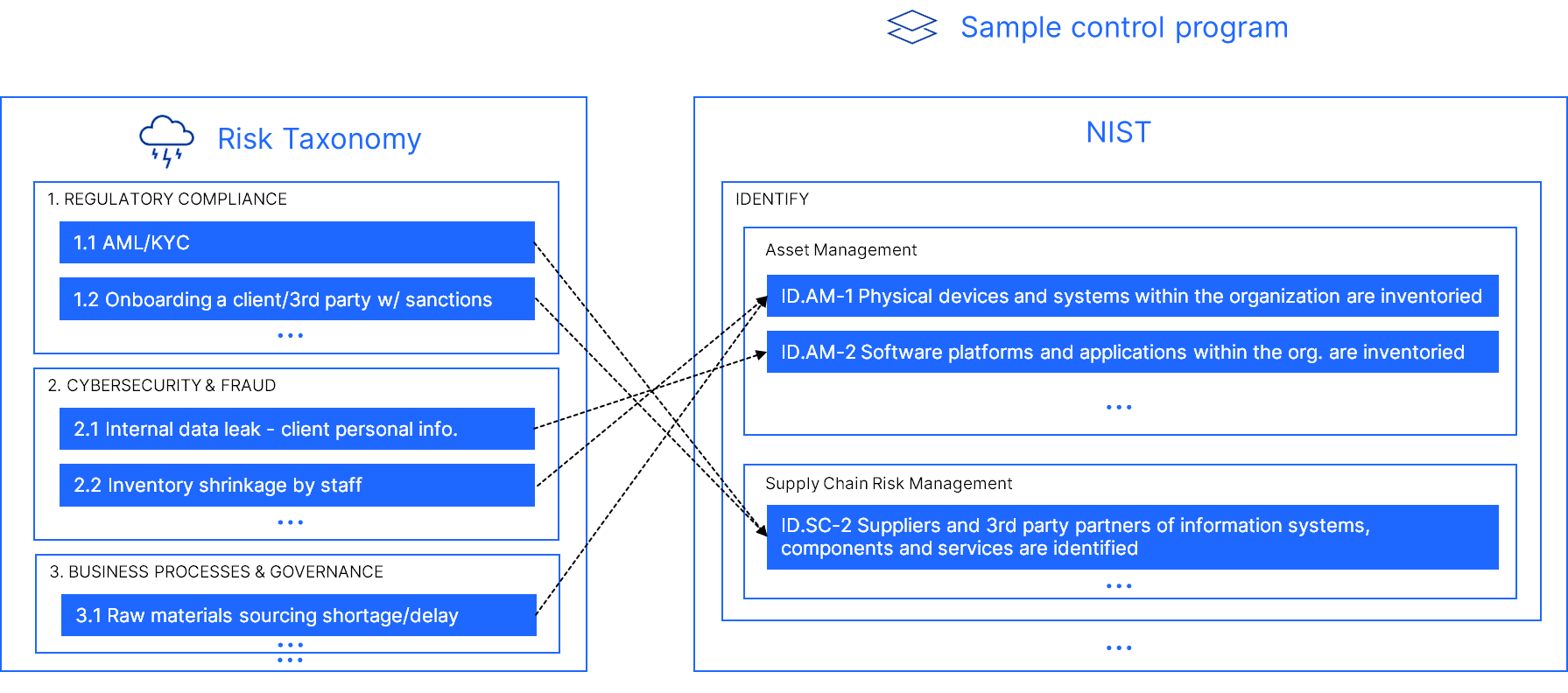
You can also decide to leverage a framework/control program in order to have a standardized approach to deploy your Risks.
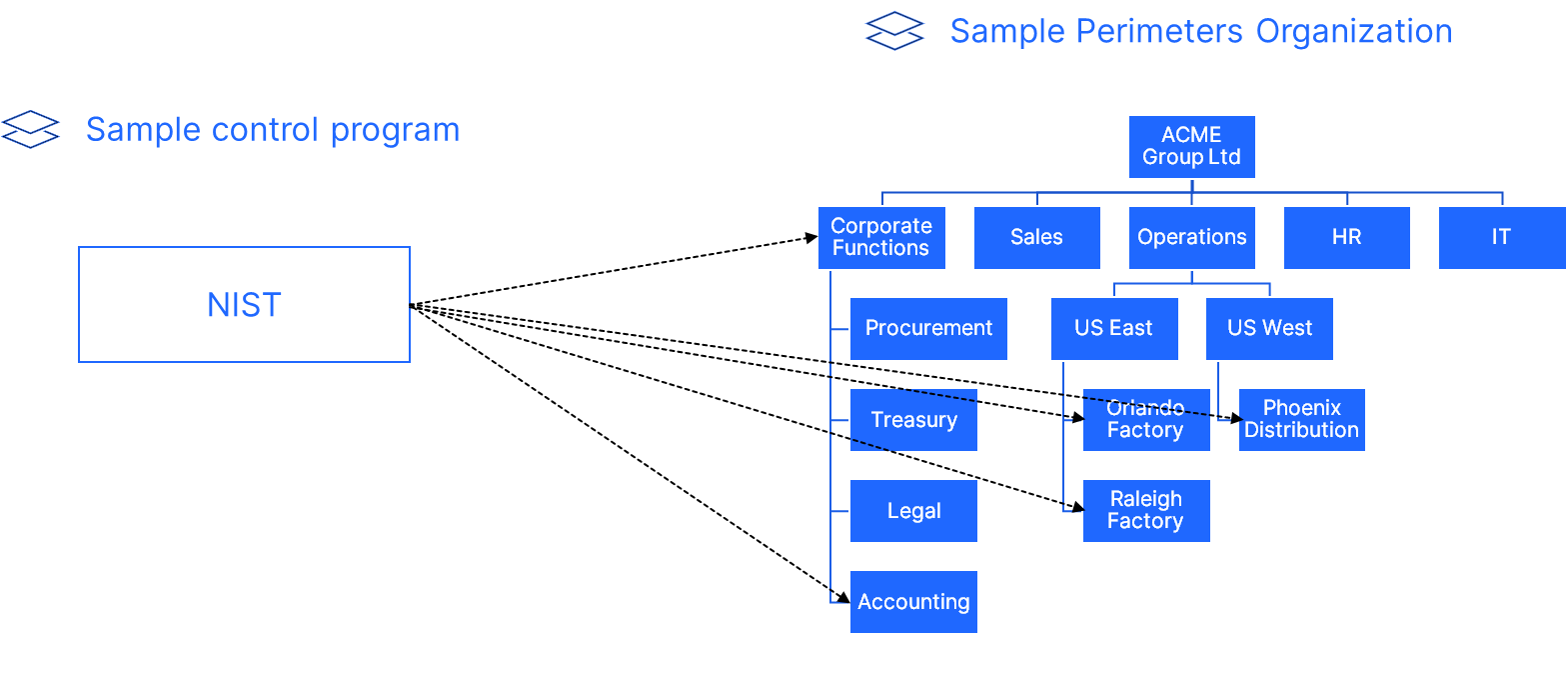
This means that you can map your Risks to requirements in different frameworks/control programs, and when applying them to your different Perimeters, the Risks that were mapped to the requirements will be automatically linked to the Perimeters.
This is particularly useful if you want to use an existing Framework such as NIST, COBIT, COSO, or if you want to create your own internal framework with all your Risks. We usually recommend this approach if you want to apply a set of Risks to all your Perimeters.
4. RCSA: Risks Self-Assessments
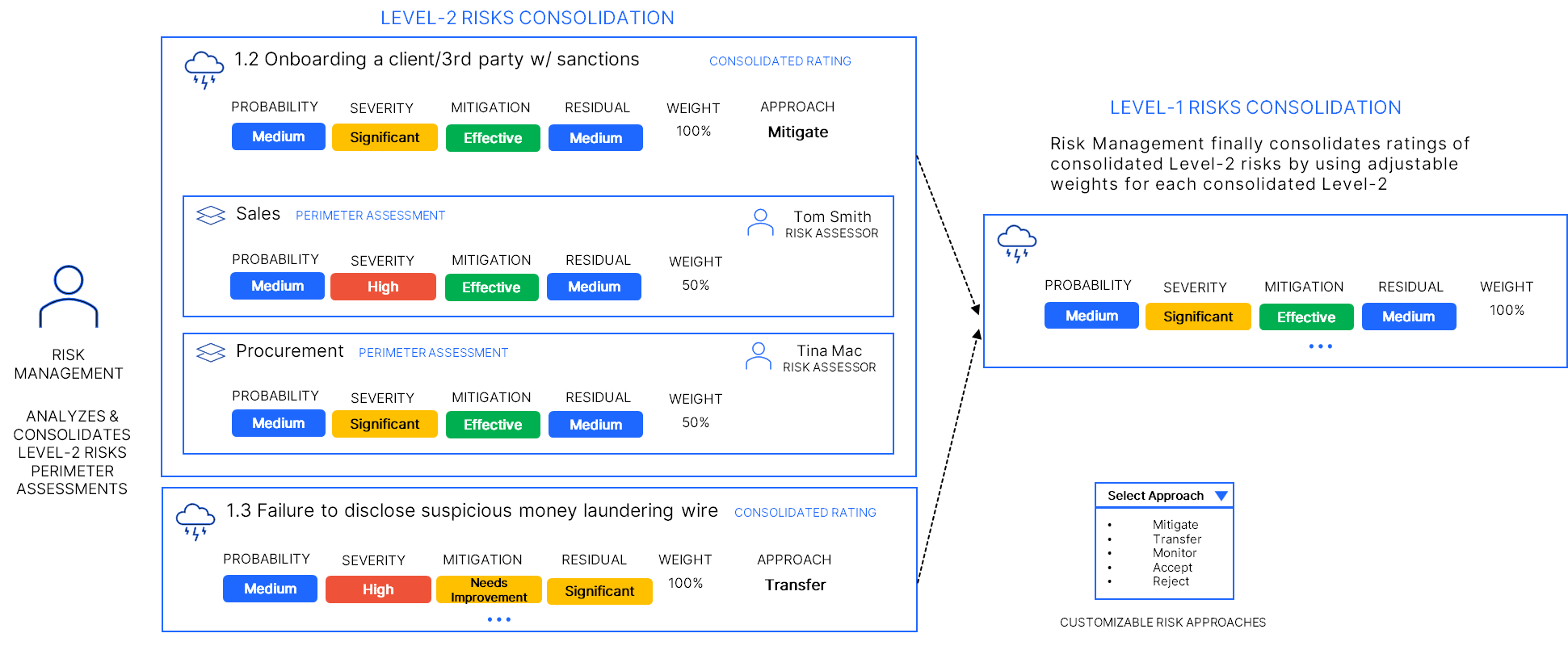
Assessments are first performed at the perimeter level by the risk assessors appointed & invited by Risk Management.
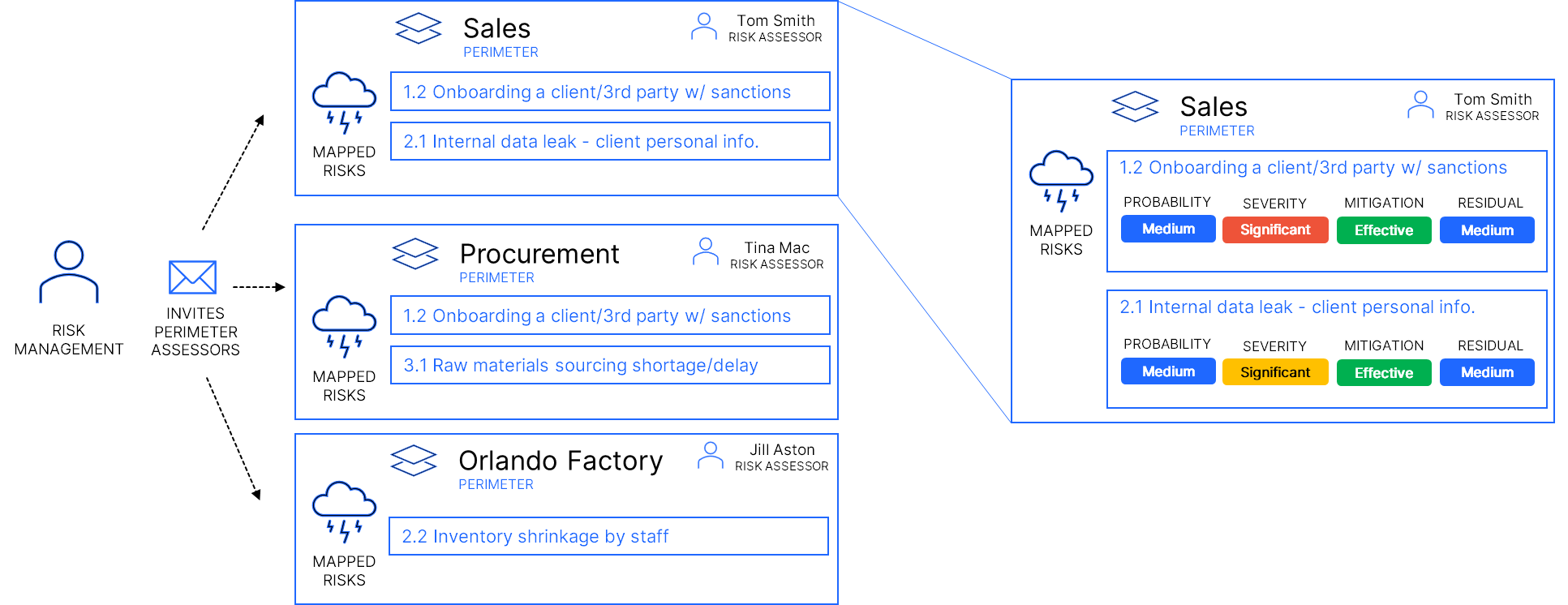
For more information on how to perform Risk Assessments, please view:
5. RCSA: Consolidation of ratings (Level 2 & Level 1 Risks)
Risk Management then consolidates ratings for a specific Level-2 risk for the full organization by using adjustable weights for each perimeter in which it was assessed to average out ratings.
A risk approach considering the residual risk rating is then selected.
Action plans and/or controls can then be added/linked to address the situation when necessary.
6. Internal Controls: end-to-end integration
QuartzIQ offers an integrated, end-to-end solution for all internal control needs.
| Phase | Description |
|---|---|
| Inventory & Documentation | Document and create an inventory of internal control activities of various types |
| Control Programs/Frameworks | Apply regulatory, industry and corporate control programs, requirements & frameworks. Track and assess deployment & maturity across perimeters. |
| Risk & Control Matrix | Identify risk mitigation coverage gaps across all perimeters. Define control needs. Multi-map controls to the risks they mitigate and to programs & frameworks requirements. |
| Execution | Periodically & automatically generate control tasks and assign to performers/owners with audit trail and evidence storage. |
| Control Automation | Generate and process automated data-driven continuous control alerts |
| Testing | Create testing projects to assess your controls in terms of design, implementation and operational effectiveness. Document & store evidence, manage sampling. |
| Certification | Have control owners certify their controls |
| Reporting & Communication | Generate reports & dashboards, leverage testing results in RCSA & perform risk-based planning of internal controls efforts & resources |
Flowchart - Enterprise Risk Management in QuartzIQ
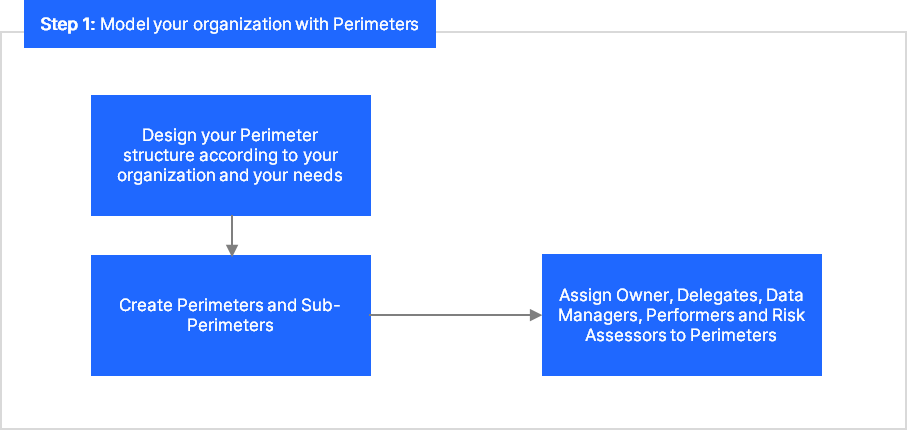
Step 1 - Model your organization: You can find more information in the Perimeters article.
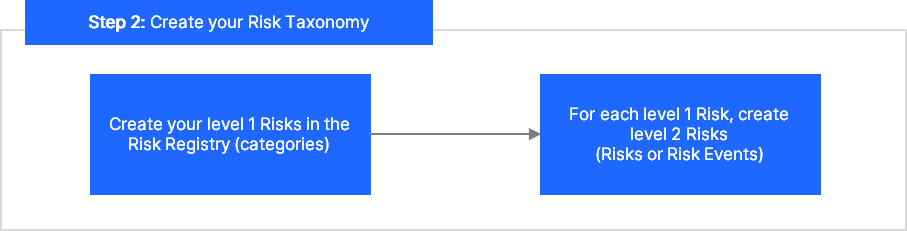
Step 2 - Create your Risk Taxonomy
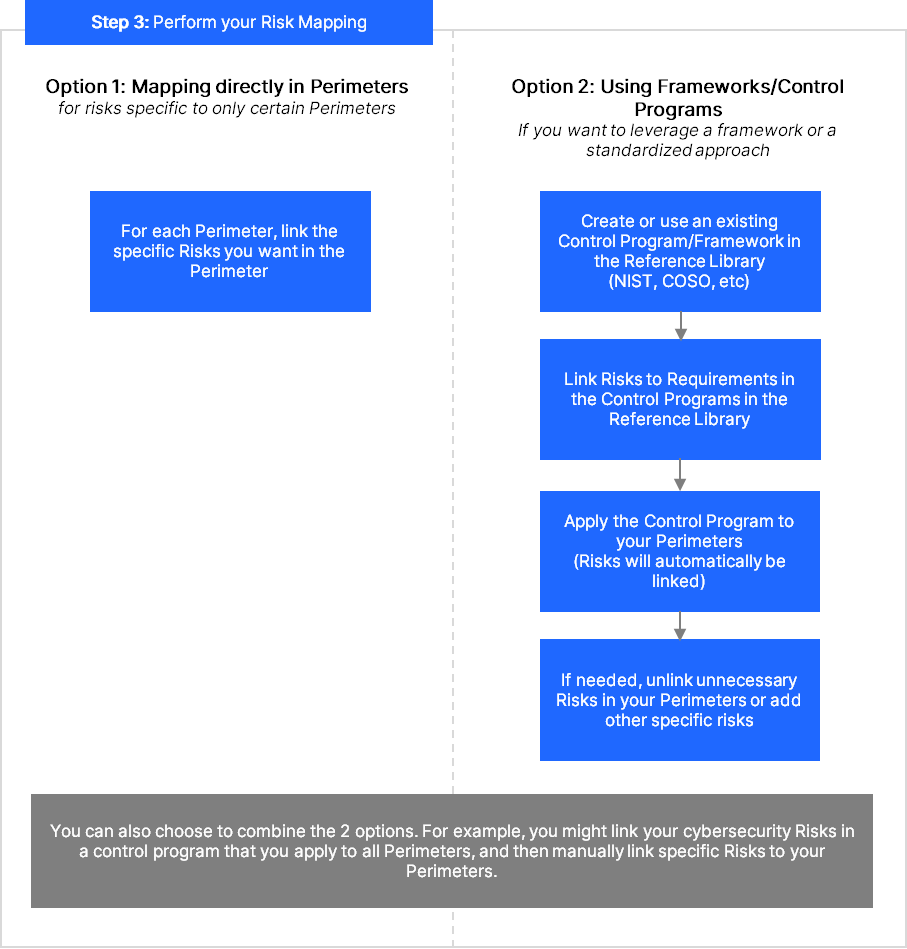
Step 3 - Map your Risks: You have two options:
- Option 1: mapping Risks directly in Perimeters
- Option 2: using Control Programs
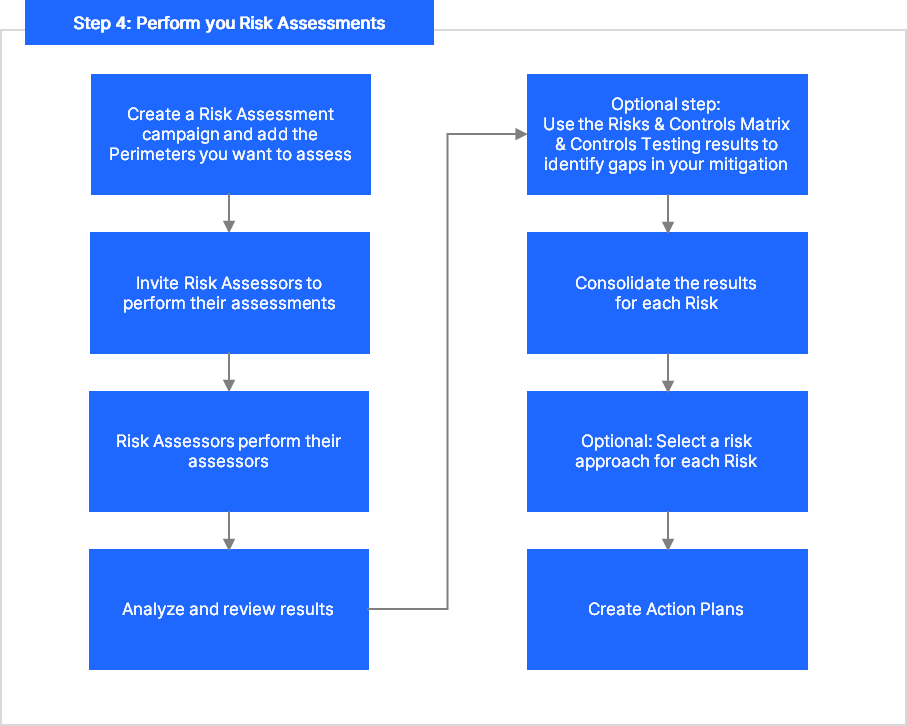
Step 4 - Perform Risk Assessments: