Risks & Controls Matrix
What is the Risks & Controls Matrix
The Risks & Controls Matrix allows you to map your Risks, Controls, Control Needs and Requirements in your organization, allowing you to have a holistic overview of your Control coverage.
This is particularly useful to identify any gaps in your Controls coverage, such as Risks without Controls that are mitigating this Risk, Control Needs or Control Program Requirements that are not covered by any Control.
This mapping is usually done within Perimeters but you can also view the Risks & Controls matrix for your entire organization.
Using the Risks & Controls Matrix
With the Risks & Controls Matrix, you can perform all your mappings within a specific Perimeter and its Sub-Perimeters, or for your whole organization.
You must be an Owner or Delegate in the Perimeter in order to modify the Risks & Controls Matrix.
To access the Risks & Controls Matrix for a specific Perimeter and its Sub-Perimeters:
- In the Perimeter's page, you can select the Risks & Controls Matrix tab.
- On this tab you will be able to view all the Risks, Controls, Control Needs and Requirements (from Control Programs) for this Perimeter:
- Each Risk linked to the Perimeter will have a specific line where you can link your Controls.
- Each Control Need or Program Requirement will also have a specific line where you can link your Controls.
- There will be one line containing all Controls that have not been linked to Risks, Control Needs or Program Requirements.
- You can duplicate a line if you want to map a Risk to a Control Need or Requirement with a Control. If you duplicate a line, map Risks, Controls and Control Needs, and that line already exists, it will not create a duplicate one but rather show you the existing line.
- Using the filters, you can also see which Controls have no Risks or Control Needs, to help you fully complete your mappings.
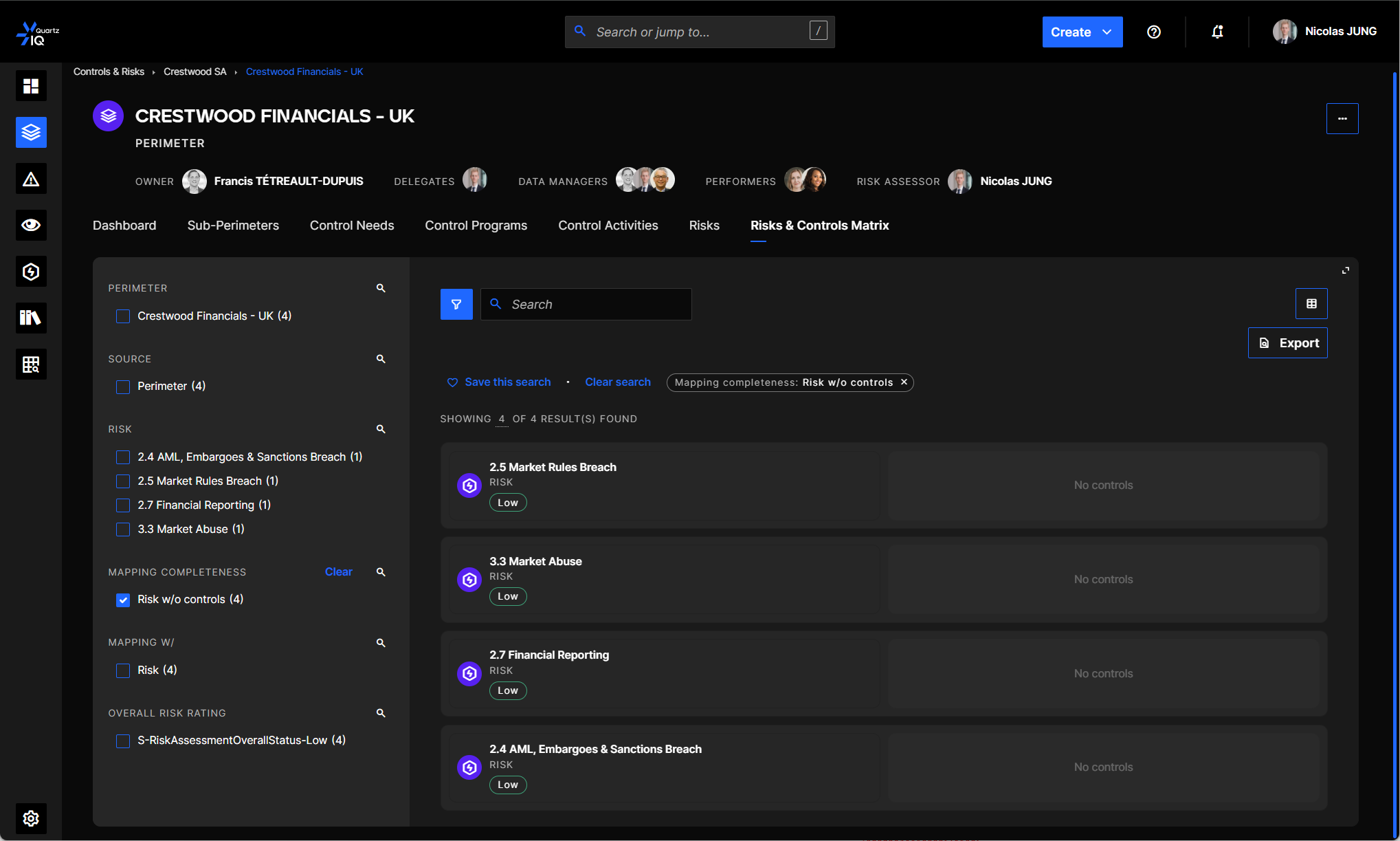
You can also access the Risks & Controls Matrix for your entire organization by navigating to the Controls Management > Risk & Controls Matrix in the side menu.