Install Integration Agents
In order to load data into QuartzX platforms, you must install Forwarder Agents on you infrastructure. These Forwarders will be communicating with the different sources and pushing data into our APIs.
Install an Integration Agent Managing secrets and identities
Install the Integration Agent
In order to install an Integration Agent, QuartzX will provide you with a .zip file containing all the files necessary. This file should be extracted on the infrastructure on which you want to deploy your Integration Agent. You can choose to install the Integration Agent:
- On-Premise (server):
- Windows Service
- Linux
- In the Cloud:
- Virtual machine (Windows, Linux)
- Azure Function App In the extracted folder, you should have multiple DLLs, as well as configuration files and an executable file which will be used to launch the Integration Agent.
Integration Agent files
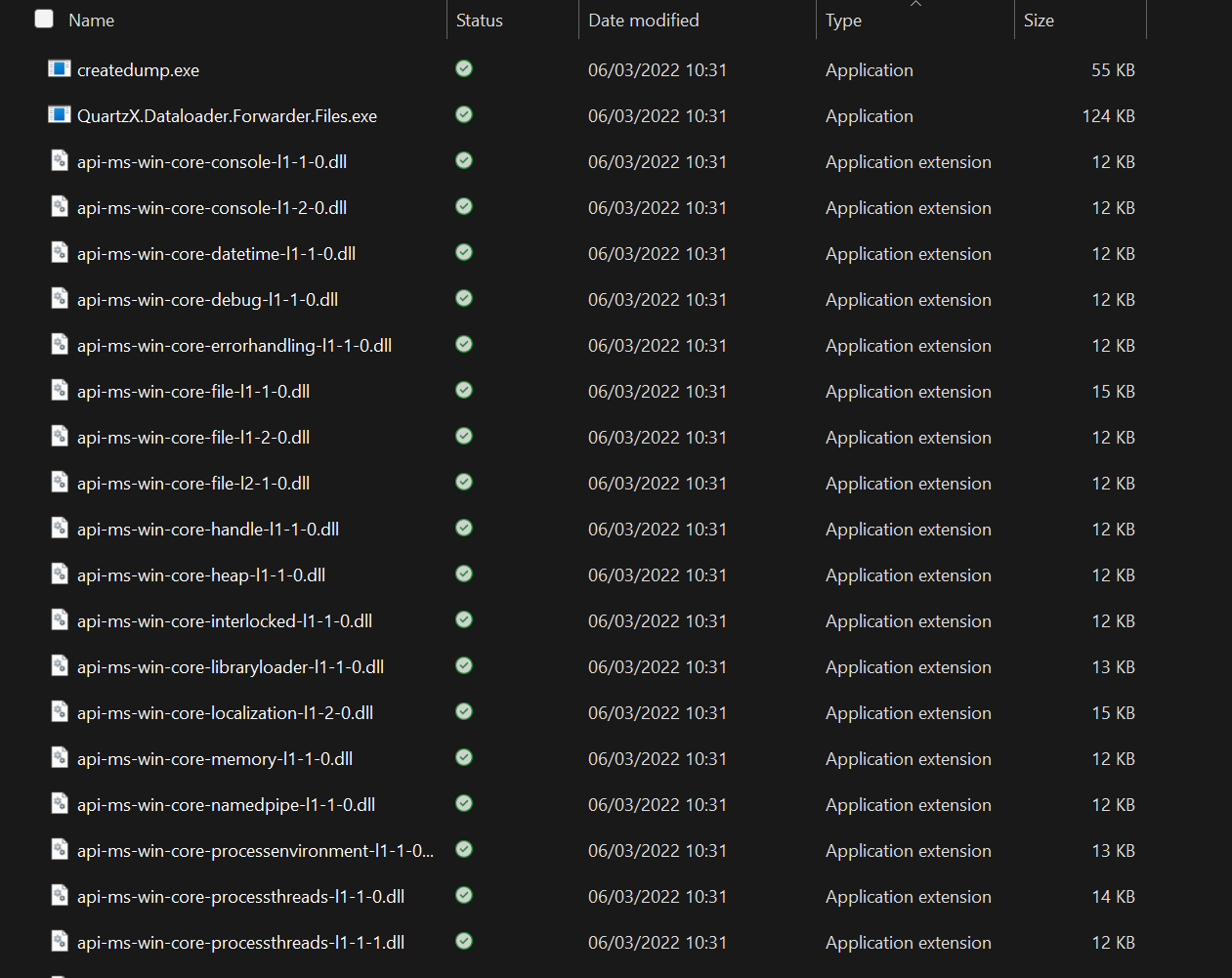
The next step is to modify the configuration file in the folder in order to retrieve the jobs configured in the QuartzAdmin interface (detailed in the section below).
Modify the configuration file
In order for the Integration Agent to retrieve the job configurations in QuartzAdmin, you must modify the configuration file of the Integration Agent. In this file, you can also specify logging parameters and specify if you are using Azure Key Vault for your secrets. This file should be in the extracted folder and should be named "appsettings.json".
Logging configuration section
When opening the configuration file, you will have access to 2 sections that allow you to configure the logging of the Integration Agent. The first section "Logging" is a generic configuration for the logs. The section that you can configure is the "Serilog" section.
Logging configuration section
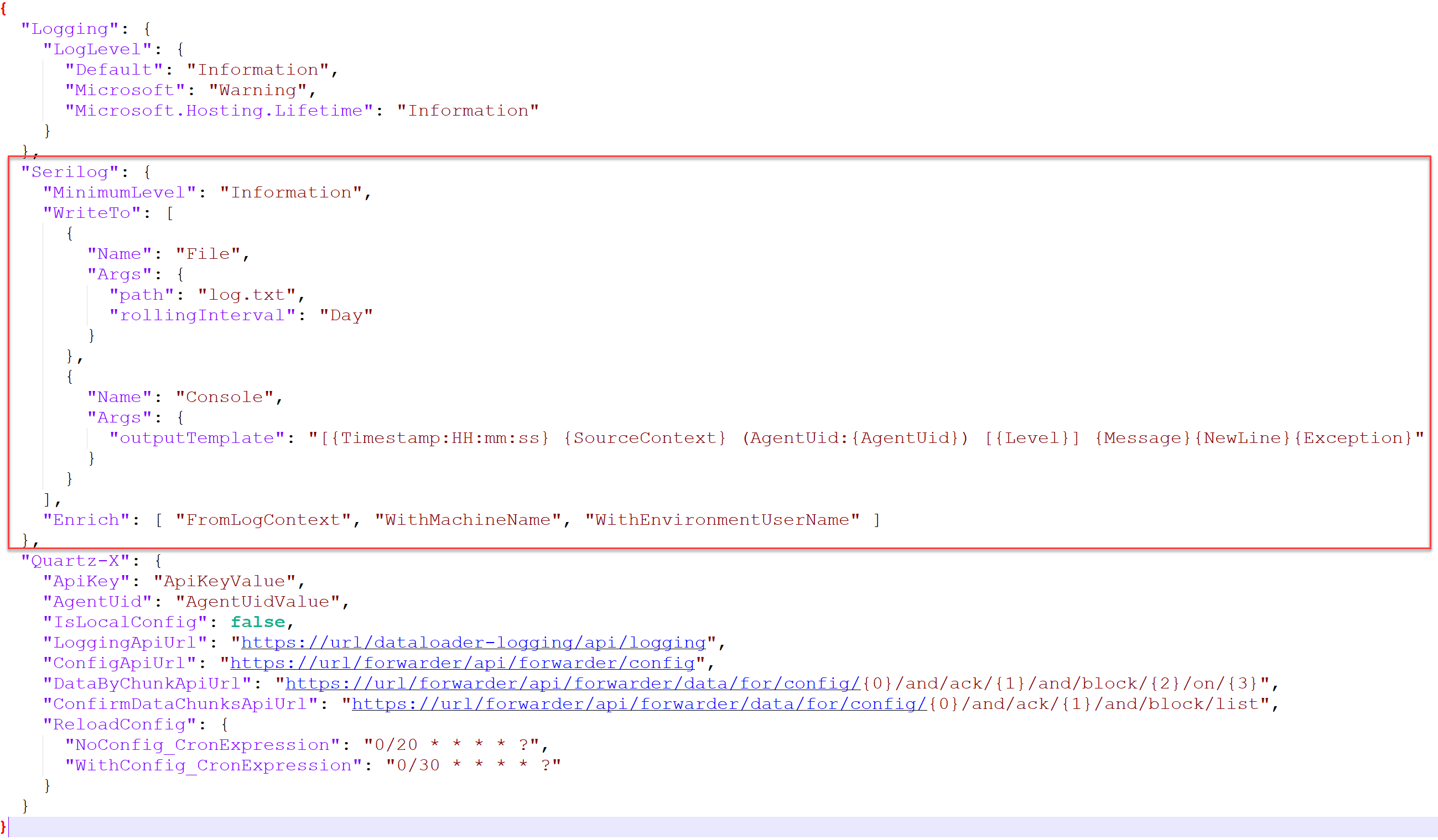
The configuration file should come with a generic configuration, but you can easily change parameters as you please. If you want more information on all parameters that you can use, you can go to the official Serilog documentation (Microsoft).
Integration Agent information section
The configuration file should also have a "Quartz-X" section where you need to input the different details of the Integration Agent.
Integration Agent configuration section
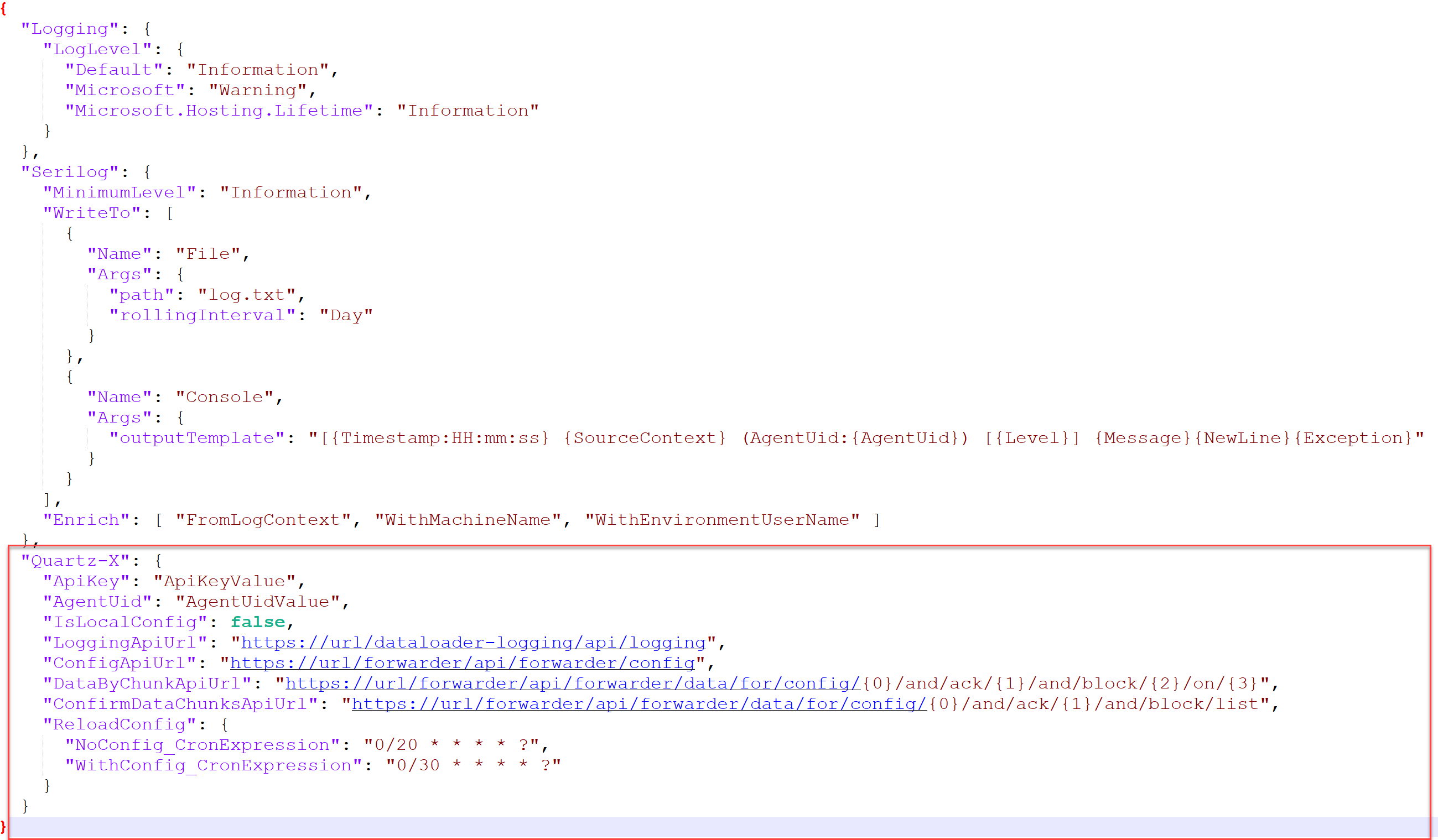
The first two parameters are the ApiKey and the AgentUid of the Integration Agent. This information can be retrieved in QuartzAdmin by navigating to the Integration Agent and selecting the specific Integration Agent.
Integration Agent API Key and UID

QuartzX recommends you to store these keys in Azure Key Vault rather than directly in the configuration file. More information is provided in the section below.
You will also need to change the different URLs that will be provided by our teams. Finally, you can also change the "ReloadConfig" section that allows you to configure, using a CRON format, the frequency at which the Integration Agent will try to retrieve Job Configurations in QuartzAdmin.
Manage permissions, secrets and identities
In order for the Integration Agent to function correctly, you must:
- Provide the necessary read permissions to the Integration Agent
- Manage your secrets using your organization's guidelines
- Provide the necessary read permissions to the Identities you are using
Launch the Integration Agent
Once you configured your Integration Agent, you should then be able to execute it on the infrastructure on which you installed it. In order to do this, simply launch the executable file found in the extracted archive provided by our teams.
Forwader Agent executable
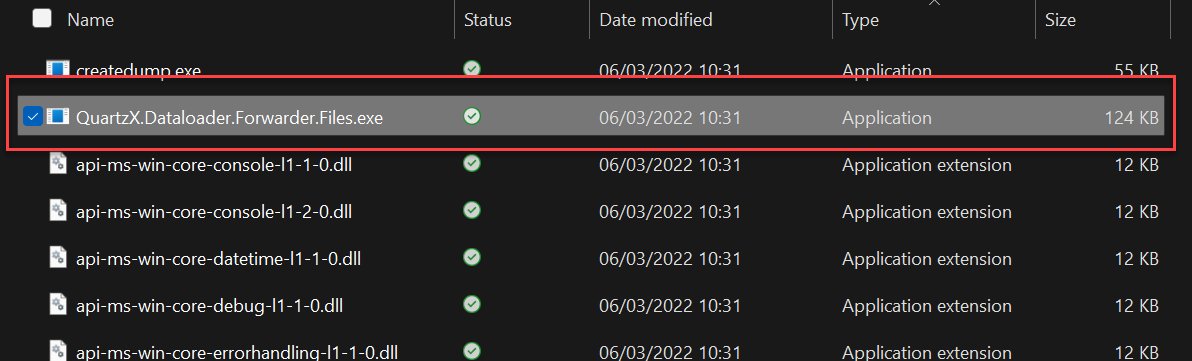
The Integration Agent should now be retrieving data if you have configured Job Configurations in QuartzAdmin.
If you need more information on how to configure a Job Configuration, you can go to this page.