Control Activity Manual
*Reminder : Manual Control Activities consist of recurring controls or reminders, set with the frequency of your choice, that generate Tasks. For example you can setup a Manual Control Activity to remind your team to prepare a monthly report at the end of each month, or you can create one to ask your colleague to validate your data entries on a daily basis. *
Create a Manual Control Activity Control Activity Statuses Execute Manual Control Activity
Create a Manual Control Activity
In order to create or modify Control Activities in QuartzIQ, you must have the Data Manager role in the relating Control Perimeter.
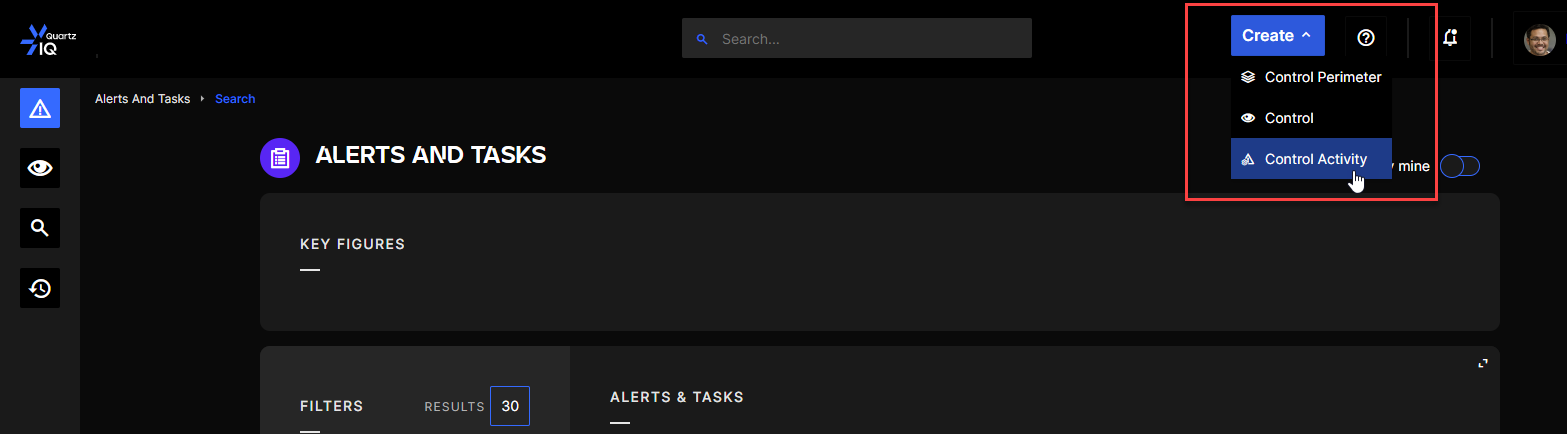
Step 1 To create a Control Activity you can click on the Create button on the top right hand side of the screen and select Control Activity.
Creating a Control Activity
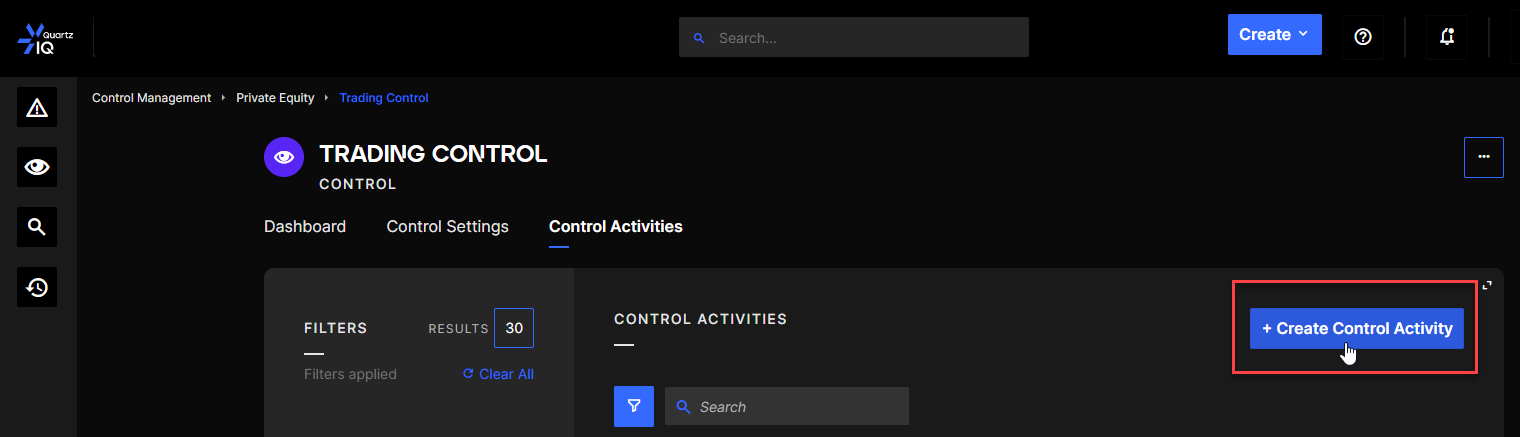
You can also go to the Control Activity tab of a selected Control and click the Create Control Activity button.
Creating a Control Activity from the Control Page
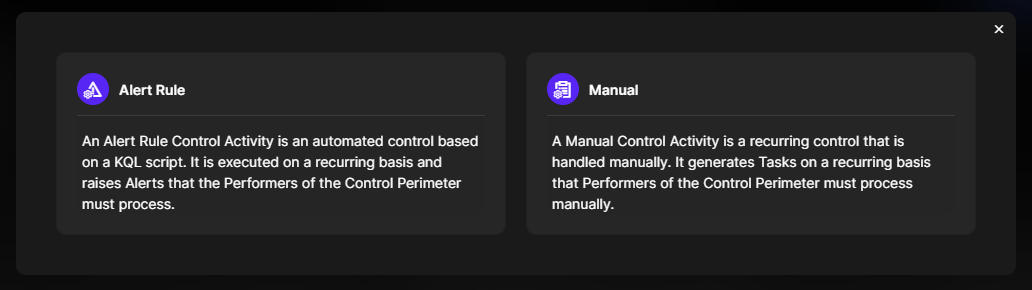
Step 2 Once this is done, you will be asked to choose whether you want to create an Alert Rule or a Manual Control Activity. Choose Manual Control Activity.
Alert Rule or Manual Control Activity selection
Step 3 This step is identical for both types of Control Activities.
Control Activity creation window
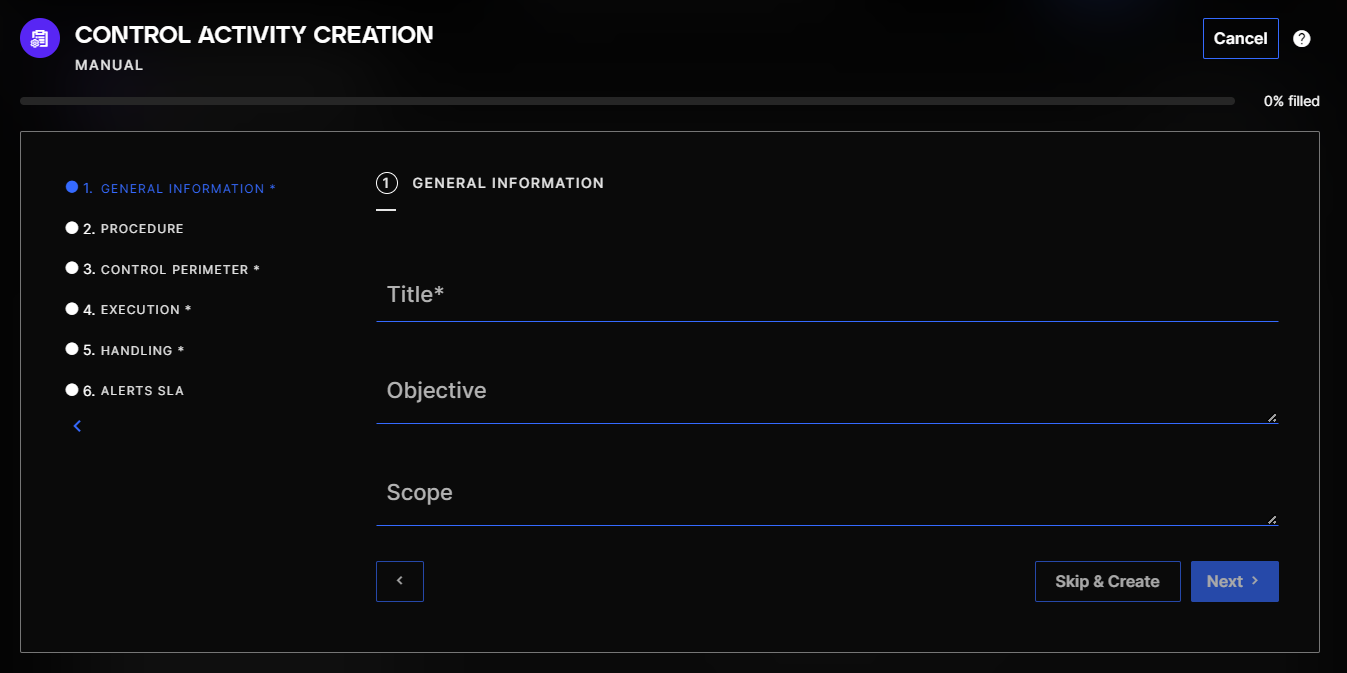
You must fill out the form which contain 6 sections.
Then complete the other required fields:
- Choice of the host Perimeter and Control (3. Control Perimeter)
- Frequency of execution (4. Execution)
- Level of severity (5. Handling)
You can optionally add an objective or a procedure (2.), or define a SLA (6. - see Alerts SLA section for more information)
Step 4
When all the required fields are completed, you can click on Save:
Control Activity Statuses
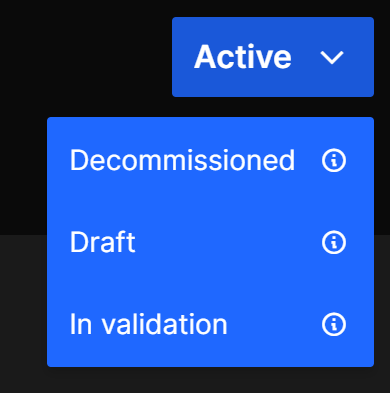
Manual Control Activities have 4 statuses :
- Draft: new Control Activities will be automatically created in this status. It will allow you to modify the Control Activity without it being executed.
- In Validation: this status can be used when you are testing your Control Activity purposes and enables the execution. The Tasks generated will be in a “in validation” status and will only show in the Control Activity page. When changing to another status, the Tasks generated in this status will be deleted.
- Active: this status enables the execution of the Manual Control Activity normally.
- Decommissioned: this status will disable the execution of the Control Activity.
View of status menu in a Manual Control Activity page
Tasks generated while Manual Control Activity is in the "In Validation" status will be deleted when changing to another status.
Execute Manual Control Activity
Manual Control Activities are executed automatically depending on the time configured during the creation or update of the Control Activity.